Mocha VNC for Windows Mobile and CE
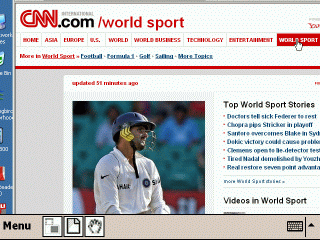
Mocha VNC VNC provides access to VNC Servers. Using your
Phone, you can connect to a Windows PC , Mac OS X or Linux
PC and see the files, programs, and resources exactly as
you would if you were sitting at your desk, just on a smaller
screen.
VNC for Windows Mobile devices with touch screen and
.NET Compact Framework 2.0
- Designed for .NET Compact Framework 2.0
- Standard VNC protocol with encrypted password signon
- UltraVNC MS-Logon and server scale option
- Normal and Landscape mode
- 8 and 32 bit color modes
- Input with normal screen , or a real QWRTY keyboard
- Local Mouse support
- Has been tested with RealVNC, TightVNC and UltraVNC
- Free upgrades to new versions of the product
-
Single User license 19.85 or a company license 199.85
USD
 |
| User Guide |
VNC for old Pocket PC devices (with a touch screen)
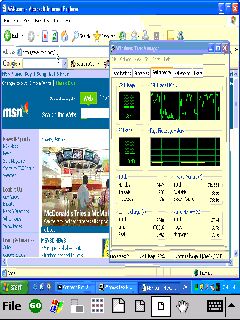
Mocha CE VNC works on a wide range of CE 3.x devices (Pocket
PC and H/PC pro 2.11) with or without keyboard. CPU types
: MIPS, SH3, StrongARM. Also support for the new Pocket
PC 2002/2003.
- - VNC Protocol with encoding types : Raw,CopyRect,Hextile,ZRLE
and Zlib
- - SSH2 tunnel encryption option.
- - DES encryption of the Server password
- - Render the a page to a full screen, and offer
3 different views (compressing) of the large screen
on the smaller PDA screen.
- - Easy scroll mode with the pen.
- - Many trim parameters.
- - Free upgrades to new versions of the product.
-
Single User license 19.85 or a company license 199.85
USD